Compare local deposit methods
Already sent money? Choose a payment problem or copy a support message .
Public catalogue inspected in the source snapshot; no account cashier or deposit tested. We selected Philippines and Deposit in the public payment catalogue . These 12 entries display PHP limits. Similar names remain separate because the catalogue lists separate routes.
Swipe or scroll horizontally to read all columns.
| Method label | Minimum (PHP) | Maximum (PHP) | Advertised time |
|---|---|---|---|
| G-Cash Direct | ₱100 | ₱50,000 | Up to 5 minutes |
| PayMaya new | ₱100 | ₱50,000 | Up to 5 minutes |
| GCash | ₱100 | ₱50,000 | Up to 15 minutes |
| Paymaya | ₱100 | ₱50,000 | Up to 15 minutes |
| Bank transfer | ₱100 | ₱50,000 | Up to 15 minutes |
| Grabpay new | ₱100 | ₱50,000 | Up to 5 minutes |
| Gcash QR | ₱100 | ₱50,000 | Up to 5 minutes |
| Palawan Pay | ₱500 | ₱50,000 | Up to 15 minutes |
| Fortunepay | ₱100 | ₱50,000 | Up to 15 minutes |
| Help2Pay | ₱100 | ₱1,000,000 | Up to 15 minutes |
| Online Banking | ₱100 | ₱50,000 | Up to 5 minutes |
| 7-Eleven | ₱100 | ₱10,000 | Up to 5 minutes |
Each listed card displays “No fees”. This is the catalogue’s claim; we did not verify the final charge from the operator, wallet or bank. The time labels do not explain when the clock starts or whether they include crediting the casino balance.
The filter showed 58 methods in total. Cash and cryptocurrency entries without numeric limits are omitted here; a blank minimum does not mean zero. See why the sources differ before using a published figure.
What still needs checking in your account
- Final amount and fees
- Check the amount credited and any separate provider charge before authorizing a payment.
- Applicable limits
- The table records card minimums and maximums. Account-specific limits, daily allowances and reset times remain unverified.
- Account availability
- A public country filter does not establish that a route is available in your eligible account.
- Ownership and bonus eligibility
- Confirm who may own the funding account and whether the method qualifies for your selected promotion.
If the cashier differs from this public-source table, ask support which terms apply before sending money. Payment availability does not establish local authorization .
Payment minimum and bonus minimum are different
The cited regional homepage displays a ₱100 G-Cash deposit minimum, while the casino bonus explainer displays a ₱200 qualifying minimum. These are public-source statements about different conditions. Meeting a payment-method minimum does not establish bonus eligibility.
Before accepting an offer, check its qualifying amount, eligible payment methods, opt-in order and whether separate deposits count together. The public pages do not establish those conditions for your account. See the published bonus figures and unresolved conditions .
The payment table above remains the public-catalogue snapshot. Its “No fees” labels and advertised times are not a confirmation of the final charge or arrival time at your bank or wallet.
Why the deposit sources differ
The regional homepage table and the Philippines-filtered catalogue do not agree on every figure. Both were inspected in the source snapshot. We cannot determine which conditions would apply to an individual account from these public pages alone.
- Bank transfer: the homepage lists a ₱1,000 minimum and five minutes; the catalogue lists ₱100 and up to 15 minutes.
- GCash and Paymaya: the homepage advertises instant processing. The catalogue gives up to 15 minutes for GCash and Paymaya, and up to five minutes for the separately named G-Cash Direct and PayMaya new routes.
- Palawan Pay: both show a ₱500 minimum, but the homepage says five minutes and the catalogue says up to 15 minutes.
- GoTyme and BDO QR: the homepage names them, but those labels were not present in the selected catalogue. This does not prove they are unavailable to every account.
- QRPH and Gcash QR: the homepage lists QRPH with a ₱300 minimum; the catalogue lists Gcash QR with ₱100. We have not established that these are the same route.
The PHP cards were observed in a public catalogue with Philippines selected. They do not establish Philippine account eligibility, current method availability or local authorization.
Deposit and withdrawal limits are separate
In the public-source inspection, Gcash QR showed a ₱100 deposit minimum and a ₱50 withdrawal minimum. 7-Eleven appeared in Deposit but was not observed in Withdrawal. Do not assume that a deposit route or limit also applies to a payout; see the withdrawal source comparison .
Philippine deposit checklist
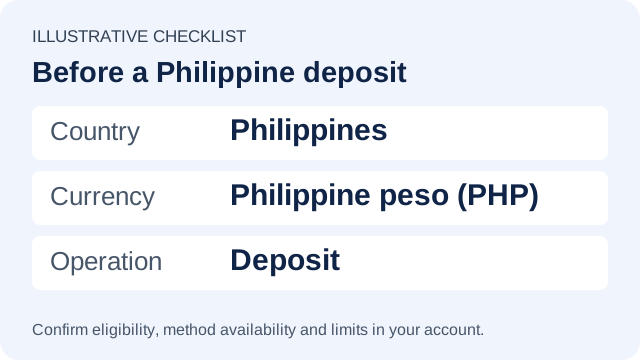
The illustration below identifies the country, currency and operation to check for a Philippine deposit. It is an editorial checklist, not a screenshot or confirmation that a method is available in your account.
Five checks before confirming a deposit
- Find the method inside your eligible account. Review any account or identity checks. If the method is absent, do not substitute a recipient from a message or an old screenshot.
- Confirm what leaves and what arrives. Note the currency, minimum, per-transaction and daily maximums, provider fee, operator fee and expected credited amount. Clarify conversion charges if the funding and account currencies differ.
- Check the current recipient. Compare the payee, reference, amount and expiry shown for this request. A previous QR code or saved bank recipient may not apply to a new request.
- Read the linked restrictions. Confirm payment ownership, any bonus exclusions and the separate withdrawal route . Being able to deposit does not guarantee cash-out by the same method.
- Keep a record and check the outcome. Save the instruction and provider receipt privately, including time zone and reference. Compare provider status with the operator’s history before trying again. For a mismatch, use the missing-deposit steps .
Wallet, bank transfer or QR: what to inspect
These are practical checks, not tested payment instructions for a particular account. Follow the route actually shown in the operator’s cashier.
| Route shown to you | Before confirming |
|---|---|
| Wallet or banking app | Read the confirmation screen for recipient, amount, fees and reference. Authenticate only in the verified service; never send a code to someone claiming to process the payment. |
| Bank transfer | Check the exact bank, account details and required reference from the current request. Preserve the provider’s transaction reference, which may differ from the operator’s deposit ID. |
| QR payment | Inspect the payee and amount after scanning, before approval. Confirm the code belongs to the current request and has not expired. A scannable code alone does not verify the merchant. |
If something does not match, stop and use the operator contact checks . Do not make an extra payment to correct or unlock an earlier one.
GCash and GLife: why older instructions may no longer fit
GCash’s cited notice says gaming access was removed from GLife and directs gaming-account questions to the merchant. This is separate from any payment route listed in an operator’s own cashier. Confirm the current route in the applicable service. Read the GCash notice
This concerns access through GCash’s app. It does not independently confirm the payment options available in a 1xBet account. Do not assume a guide showing the old Games menu describes the current route.
Start with two records, not just the balance
Compare the sending bank or wallet’s transaction record with the operator’s deposit history. Write down each status, reference, amount, currency and time zone. A balance change alone does not establish whether a transfer is pending, completed or reversed.
Then choose the matching scenario . Keep the provider’s transaction reference separate from the operator’s internal request ID; support may need both to locate the payment.
Follow up without losing the payment trace
- Keep one case for the same issue. Save the case number, date, channel and each reply. When a provider or operator refers you to the other, include the exact question and reference already supplied.
- Ask for the next action and a time for an update. Establish whether the payment is being reviewed, traced or returned, who is handling that step and whether anything is needed from you.
- Follow the stated window. If it passes, reply in the same case with the previous commitment and current status. If no window was provided, ask for one. No universal 24-hour or 72-hour deadline is verified here.
- Request the formal complaint route if unresolved. Ask the relevant service how to submit a complaint and keep its reference. This guide has not confirmed an external dispute body with jurisdiction over this operator and cannot decide a claim.
Only send requested, relevant evidence through a verified private channel. Hide unrelated transactions in screenshots. For an identity check, follow the operator’s specific document rules instead of assuming that a redacted document will be accepted.
If the cashier does not answer your question
Ask support for the conditions of the exact method shown to you: minimum and maximum in your currency, daily limit and reset time, operator/provider fees, expected amount credited and processing window. Mention whether you are checking an existing payment or asking before making one.
If there is already a transaction, preserve the instructions that applied at that time and use the deposit-trace template . If you are only checking availability, there is no need to send a payment receipt or identity document with the first question.
Copy a missing-deposit message
Send it only through the operator contact checks . Keep a redacted receipt and the case number. The regional contact page was inspected in the source snapshot; messages and response times were not tested.
Before sharing data or installing files
Check the final domain, verify support contacts and keep authentication codes private. Read the practical security checklist before following a new link, sending evidence or installing a file.
Register at 1xBet
Read the terms shown for your eligible account before registering or making a payment.
Register at 1xBet21+; eligibility and local authorization must be checked. About this guide .
Sources and further reading
- GCash: suspension of gaming access in GLife
- Public payment catalogue: Philippines / Deposit filter
- Regional 1xBet homepage: public payment branding
- Regional accounts, payouts and bonuses page
Source links are provided for checking current information. A global page does not confirm Philippine account conditions.
Choose the payment problem you can see
Open the situation that matches the transaction record. These are troubleshooting steps, not access to your account or a promise of reimbursement. Keep the exact status wording from both services.
- Who to contact
- Bank or wallet support if the failure is on its side; operator support if its cashier rejected the request.
- What to save
- The exact error, time and time zone, method, and the bank/wallet history showing whether there is a debit or a pending hold.
- Next step
- Confirm that the original instruction is not still pending before retrying. If the provider says it completed, use the completed-transfer scenario below.
- Who to contact
- The sending bank or wallet: ask whether the entry is pending, completed, failed or reversed.
- What to save
- Provider reference, amount, currency, timestamp and exact provider status. Keep the operator’s deposit reference separately, if one exists.
- Next step
- Use the provider’s stated processing window. If none is shown, ask for the next update time. A reduced available balance alone does not prove the transfer settled. Do not send the same amount again to unlock it.
- Who to contact
- Operator support: ask it to match the completed transfer to your account.
- What to save
- Provider reference and completed receipt; operator deposit ID or absent/pending status; amount, currency, recipient and time zone.
- Next step
- Ask whether the payment reached the operator or its processor and what prevents allocation. If it cannot be located, request the trace information required and take that question to the sending provider. Keep both responses in the same case.
- Who to contact
- Operator support for the reason and return route; the provider for the actual status of the debit or refund.
- What to save
- Rejection wording, debit record, both references and any promised refund amount and window.
- Next step
- Ask whether money was received, whether a refund was initiated, and for its provider reference and release time. A rejected deposit is not proof that the debit has already reversed. Trace an overdue claimed refund with the receiving provider.
- Who to contact
- Operator support through the verified account or contact route.
- What to save
- The exact request, case number, submission date and acknowledgement. Keep identity documents in the required private channel, not in public screenshots.
- Next step
- Ask what requirement remains incomplete, whether previous evidence arrived and where to submit the missing item. Request the next review step; do not invent a processing deadline or repeatedly send extra documents.
- Who to contact
- Operator support to confirm release, then the receiving provider if a transfer reference exists.
- What to save
- Withdrawal ID, release time, provider transfer reference, sent amount/currency and destination details shared privately.
- Next step
- An internal approval is not proof of delivery. Ask the receiving provider to trace the released transfer and return its findings to the operator. If no release reference exists, ask which step remains open.
- Who to contact
- The sending bank or wallet to identify each entry, and the operator to confirm how many deposits were credited.
- What to save
- Both references, amounts and timestamps, the original request and operator credit history. Distinguish a pending hold from a posted debit.
- Next step
- Ask whether these are two completed transfers or one transfer plus a hold. For two completed payments, request written handling instructions for the unintended payment; do not assume it will reverse automatically.
- Who to contact
- Contact the payment provider promptly through its own app or website. Contact the operator through its independently verified route if its account is affected.
- What to save
- Transaction reference, time, recipient details and relevant messages. Keep originals privately; do not publish passwords, codes or full account details.
- Next step
- Ask what protective action or investigation is available. Do not wait for a normal processing window, send an additional “release” payment or assume recovery is guaranteed. If account access was exposed, follow the security checklist.